
Staff Recognition Solution Accelerator
Staff Recognition for SharePoint
Laurel lets anyone thank a colleague in public in a minute or two, shows managers who’s being missed, and gives HR the rules, approvals and reporting to run recognition as a program. Built for HR teams that want recognition to be visible and fair.
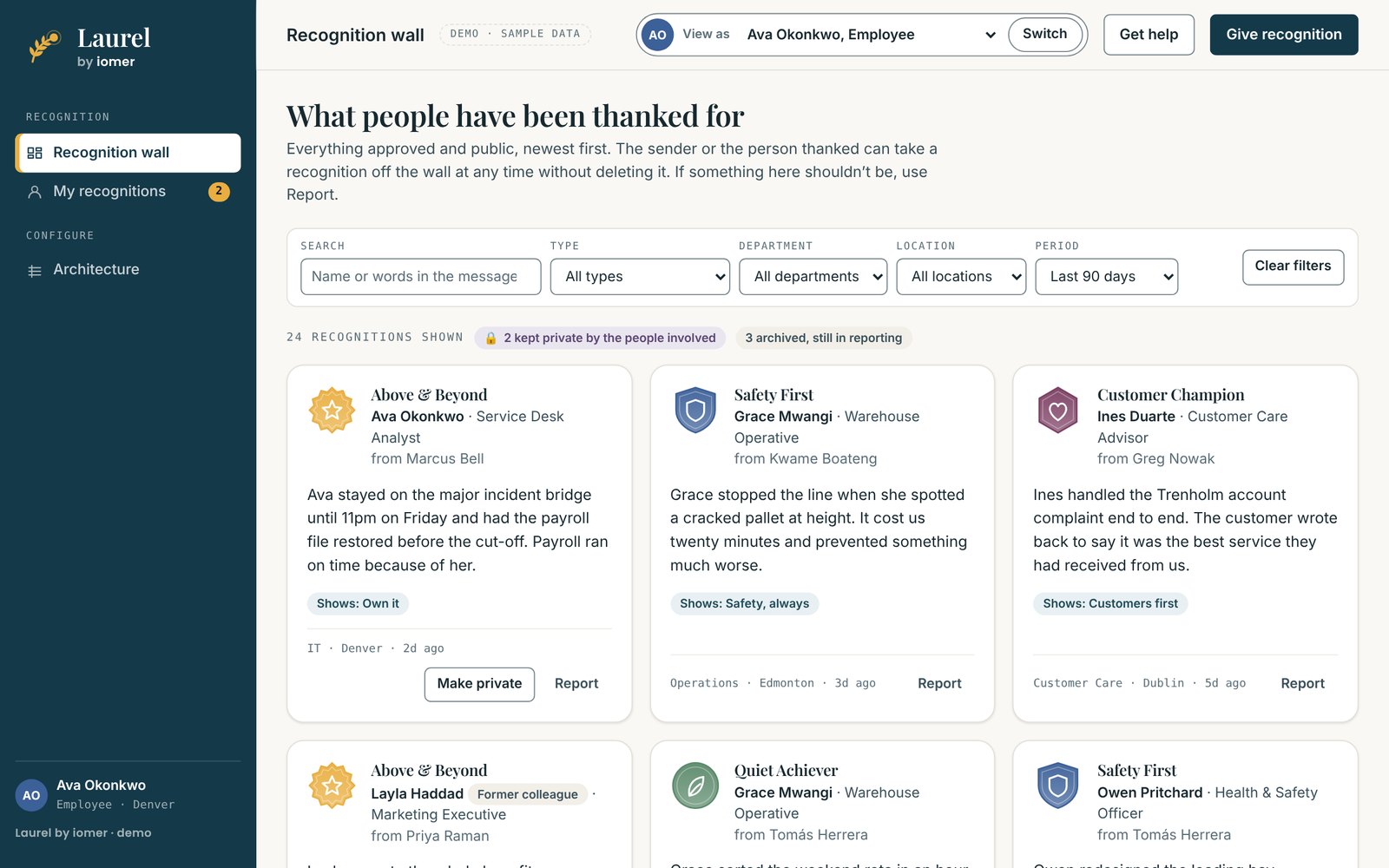
- 1Recognition on a wall everyone can see
- 2Filter by type, team, location and period
- 3Thank someone in a minute or two
From the Laurel demo, with sample data.
- Runs in your Microsoft 365 tenant
- Built for you, installed with IT
- From iomer, building on SharePoint since 2000
Why it matters
Good work too often goes unnoticed
Most organizations believe in recognition. The hard part is doing it consistently and fairly. A thank-you lands in a private chat and goes no further. The same few people get noticed while quieter work is missed. Awards run on emailed nominations, and nobody can say who has been recognized, by whom, or how often.
of employees say they get the right amount of recognition for their work, unchanged from 2022.
Gallup with Workhuman, 2024. Workhuman is a recognition vendor, and the research draws mainly on US workers.What changes with Laurel
From scattered thank-yous to one recognition program
Laurel brings every thank-you, nomination and award into one program, on the Microsoft 365 you already run.
Three things Laurel does well
Easy to give. Fair by design. Already yours.
Saying thank you takes a minute or two
Choose one person or several, choose a type, and say what they did. Three short prompts help people write something specific instead of “great job”. Check and send shows each person, who will see it, who is told and the allowance left before anything goes out. Types with no approval go on the wall straight away.
- Drafts save as people type, and never count against an allowance
- Senders can change the wording or withdraw what they sent, within limits, on the record
- Works on phones, through the intranet or a Teams tab
Fair by design
Every recognition type carries its own rules: who can send it, who can receive it, how many each person can give in a month or quarter, and who approves it. Approval can follow the manager chain or go to a named role such as a safety lead or an HR panel, in one or more steps. Nobody approves a recognition they sent or received.
- Allowances per sender, limits per recipient and an organization-wide cap
- My team names anyone not recognized in 90 days
- Every configuration change and approval decision in the audit log
It’s already yours
Laurel is a SharePoint web part backed by SharePoint lists and optional Power Automate flows in your own tenant. There’s no separate vendor platform, no second sign-in and no new place for staff data to live. Records follow your existing Microsoft 365 security, retention and data residency settings, and Laurel takes on your intranet’s theme.
- People, managers and departments from Entra ID
- Public, private or the sender’s choice, and each person decides about the wall
- Archive windows, retention periods and five ways to handle leavers
No two organizations are the same
Off-the-shelf speed. Custom-built fit.
Laurel is a solution accelerator, so the work is split in two. The parts every recognition program needs are already built, so you don’t pay to build them again. Your awards, values, approvers and rules are built into your own deployment package by iomer and installed in your tenant.
Already built
The same for every organization
- A recognition wall anyone can search and filter by type, department, location and period
- Approvals with wording edits, a check before every decision and a reason the sender sees on every decline
- My team for every manager, with who hasn’t been recognized in 90 days
Built for you
Different for every organization
- Your recognition types, badges and values, from a quick thank-you to the awards that matter
- Your approval routes: managers, or named approvers such as safety leads and an HR panel
- Your privacy, retention and leaver rules, agreed with your privacy and records staff
Download the datasheet (PDF, 2 pages)Compare with off-the-shelf and custom builds See every feature
Go live in five steps
From thanks in a chat to a program people use
- Plan
Map your awards, values, approvers and privacy rules with us, and check your manager data in Entra ID.
- Build
We build your recognition types, routes, roster, theme and retention rules into your package.
- Install
We install Laurel on your site, help your admin approve two permissions, run the guided setup and set the permissions.
- Pilot
We start with one team or location, then adjust types and allowances before rollout.
- Launch
Launch communications, admin training, a Teams tab and recognition on your intranet home page.
As your needs change, iomer builds and installs a new version of your package, so changes reach your tenant the same tested way. New recognition types and values don’t need one: your HR admins add them in the console.
Part of iomer Solution Accelerators for SharePoint. See all the accelerators
See Laurel with awards like yours
Book a 30-minute walkthrough set up with awards and approval routes like yours, or take the evaluation kit away and come back when you’re ready.