
Policy management and attestation for Microsoft 365
Policy Management for SharePoint
Beacon takes each policy from draft to approval, asks the right people to sign each version, and keeps certifications current. Built for HR and compliance teams in regulated organizations.
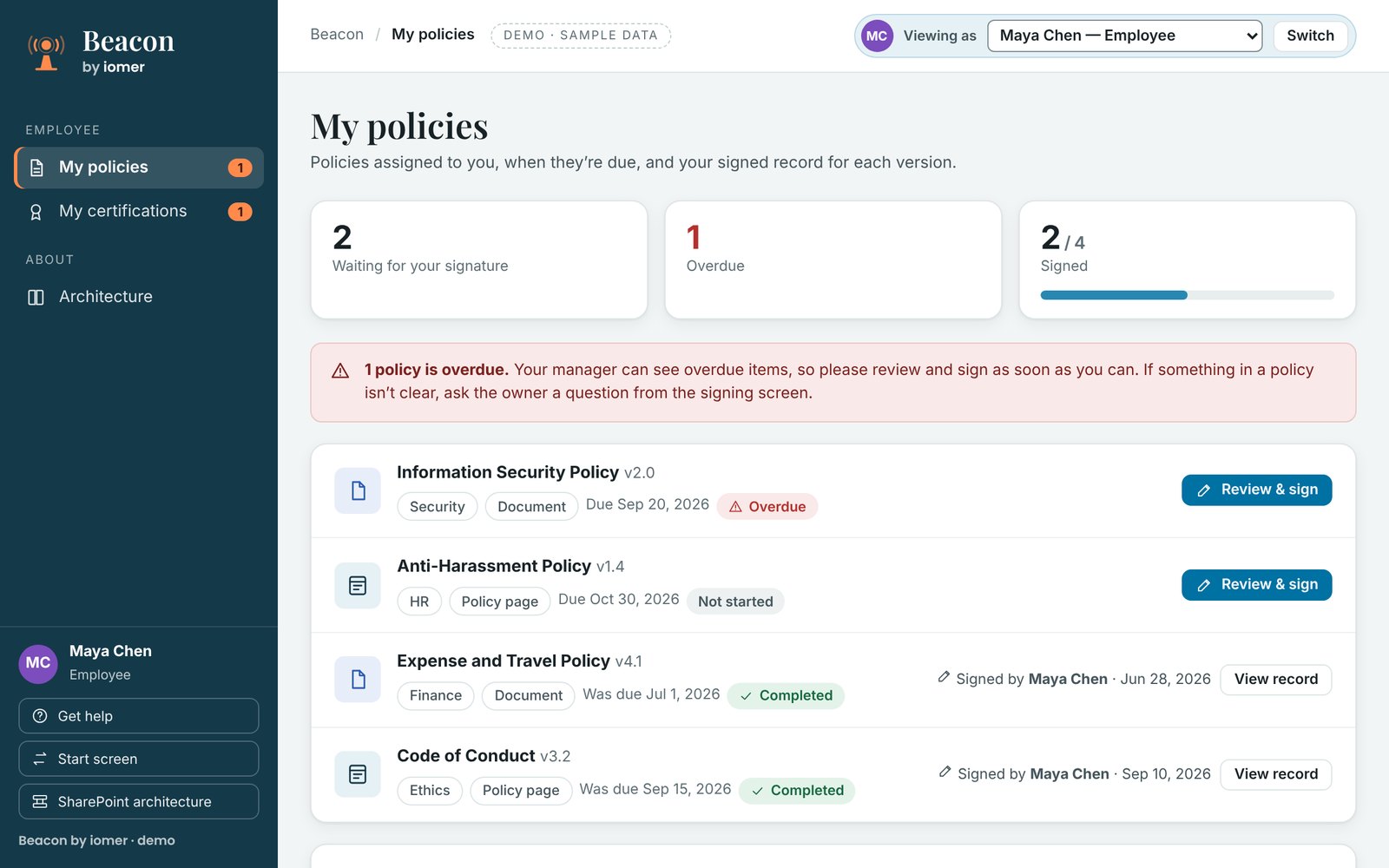
- 1Due dates you and your manager can see
- 2Read and sign in one flow
- 3A signature for each version
From the Beacon demo, with sample data.
- Runs in your Microsoft 365 tenant
- Built for you, installed with IT
- From iomer, building on SharePoint since 2000
Why it matters
The policy exists. But is it current?
Most organizations already have a code of conduct, a security policy and the certifications their work needs. What takes time is showing who signed the current version, or spotting the safety certificate that lapsed months ago. Sign-off lives in inboxes and spreadsheets, so when an auditor asks, the answer takes days.
FINTRAC penalties against Canadian banks and credit unions published between June 2025 and May 2026 cited a failure to keep written compliance policies and procedures up to date.
iomer’s own count from FINTRAC’s public notices of administrative monetary penalties. Not a FINTRAC statistic.What changes with Beacon
From inboxes and spreadsheets to one record
Beacon keeps your policies on SharePoint and adds the lifecycle, sign-off and records around them.
Three things Beacon does well
Everything in one place. Sign-off on record.
Everything owed, in one place
Every policy has an owner, an approver and a review date. Every policy and certification a person owes is in one place, with a due date and a status. When something is overdue, it shows up on their manager’s team view.
Sign-off on record
Each version is approved by someone other than its author, and each signature is a typed name recorded against that version, with the date. Ask which version was in force, who approved it and who signed it, and the answer is already there.
It’s already yours
Beacon is built on SharePoint, not another platform, and iomer installs it in your tenant with your IT team. Policies stay the Word or PDF files you already have, or become pages staff read in the browser. Records stay under your own security, retention and data residency settings, and people sign in with the accounts they already use.
No two organizations are the same
Off-the-shelf speed. Custom-built fit.
Beacon is a solution accelerator, so the work is split in two. The parts every policy program needs are already built, so you don’t pay to build them again. The parts that make your organization different are built into your own deployment package by iomer, and installed in your tenant.
Already built
The same for every organization
- The policy lifecycle, from draft to approval, review, new version and retirement
- Major and minor versions, so only real changes ask people to sign again
- Typed signatures recorded against each version, with the date
Built for you
Different for every organization
- Your policies, brought across as the documents they are or as policy pages
- Your policy owners, approvers and categories
- Your review cycles, re-signing rules and time to sign
Download the datasheet (PDF, 2 pages)Compare with off-the-shelf and custom builds See every feature
Go live in five steps
From files and spreadsheets to one policy record
- Plan
Map your policies, owners, approvers, cycles and certifications with us.
- Build
We build Beacon for your organization as a single deployment package.
- Install
We install it in your tenant and test it there with your IT team.
- Import
We bring your policies and certification records across.
- Launch
Training for policy owners, approvers, managers and admins, and a launch plan for staff.
As your needs change, iomer builds and installs a new version of your package, so changes reach your tenant the same tested way.
Part of iomer Solution Accelerators for SharePoint. See all the accelerators
See Beacon with policies like yours
Book a 30-minute walkthrough set up with policies like yours, or take the evaluation kit away and come back when you’re ready.