
Newsletters for SharePoint
Your news already has its audience. Herald reaches them.
The people your news is for are on the road, on the night shift and at the plant, and they won’t go looking for it on the intranet. Herald takes the stories you’ve already published to them, and shows you which locations and departments each issue reached.
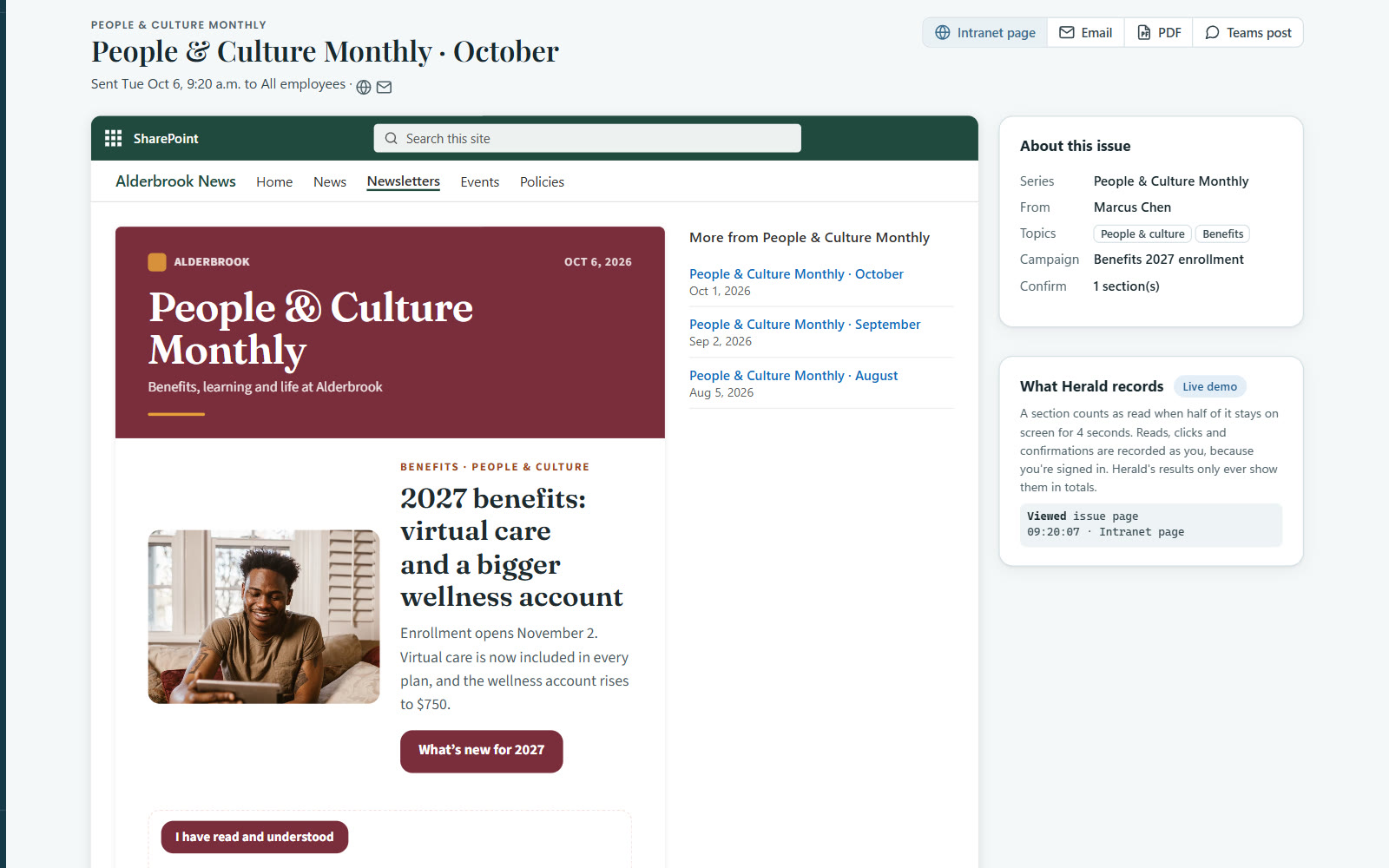
- 1One issue as a page, an email, a PDF or a Teams post
- 2Readers confirm the sections that ask them to
- 3Every past edition, kept on your site
From the Herald demo: sample newsletters for a made-up company, with stock photos.
- Runs in your Microsoft 365 tenant
- Built for you, installed with IT
- From iomer, building on SharePoint since 2000
Why it matters
Newsletters take hours to build, and still miss people
Most organizations send a newsletter of some kind, and many still build it by hand. Someone copies stories from the intranet into an email, posts a shorter version in Teams and prints a copy for the plant board, and each version drifts from the others. People without a desk may never see it. And when a safety notice or a policy change goes out in it, nobody can say who read it.
of frontline workers say messages from leadership don’t make it to them.
Microsoft Work Trend Index special report, January 2022: a survey of 9,600 frontline workers in eight countries. Microsoft sells software for frontline workers.What changes with Herald
From copy and paste to one issue, sent everywhere
Herald brings every issue, audience, confirmation and result into one newsletter studio, on the Microsoft 365 you already run.
Three things Herald does well
Built from your intranet. Sent everywhere at once. Already yours.
An issue built from what’s already published
Authors start from one of fourteen templates, from a company magazine or a leader letter to a frontline shift brief or a critical notice, or from a layout your team saved. The SharePoint tab finds the news posts, events and documents they can open, and people in your directory, and adds them to the page. A story block can follow a live query, such as the three most recent news posts, until the issue is scheduled. A checklist catches template text, a long subject line and an email that’s too big before anything goes out.
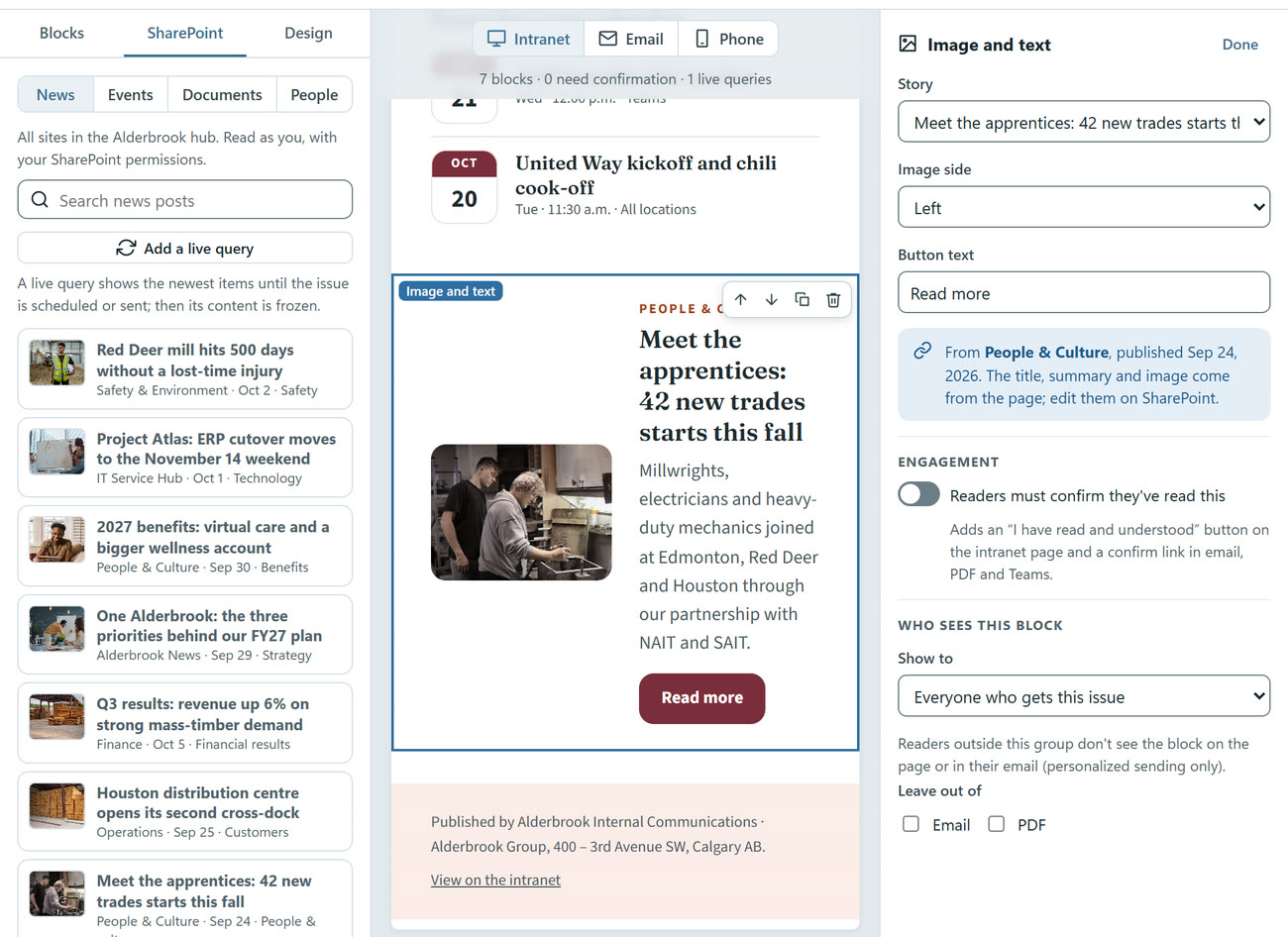
From the Herald demo, with sample data and stock photos.
One issue, every channel
Before anything goes out, authors preview the issue the way each reader will get it: the intranet page, the email in Outlook on a desktop and a phone, the PDF and the Teams card. Send it now or schedule it up to 30 days ahead, to Entra groups, offices, departments or named people. At the chosen time, Herald’s send flow publishes the issue’s own SharePoint page, emails it from your shared mailbox, makes the PDF and posts to Teams. Confirm buttons in the email and the Teams card open the section on the issue page, so every confirmation is recorded the same way.
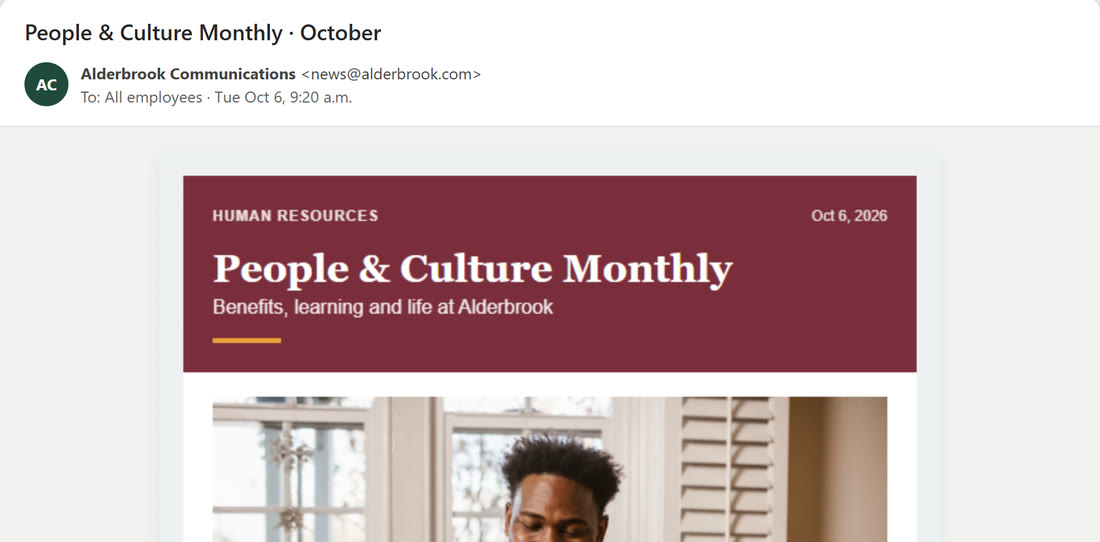
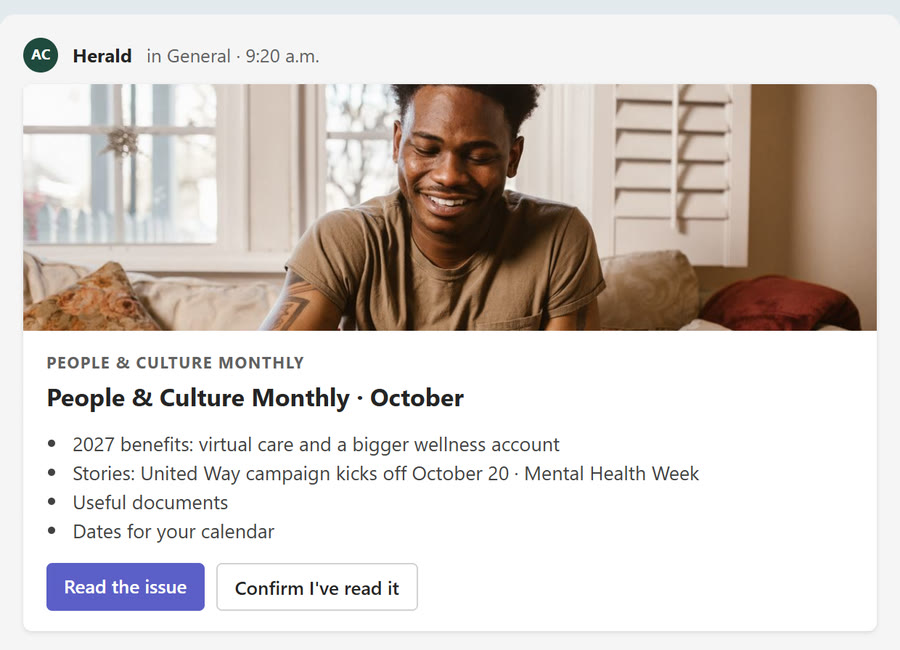
From the Herald demo, with sample data and stock photos.
It’s already yours
Herald runs in the SharePoint your people already sign in to, so there’s no separate platform and no second sign-in. Every sent issue is a real SharePoint page on your own site, with its PDF beside it. Email goes from your own shared mailbox through Power Automate flows that run as your service account, and audiences come from your own Entra groups, offices and departments. Nothing is stored outside your Microsoft 365 tenant, iomer holds none of your data, and your issues follow the security and retention rules IT already has in place.
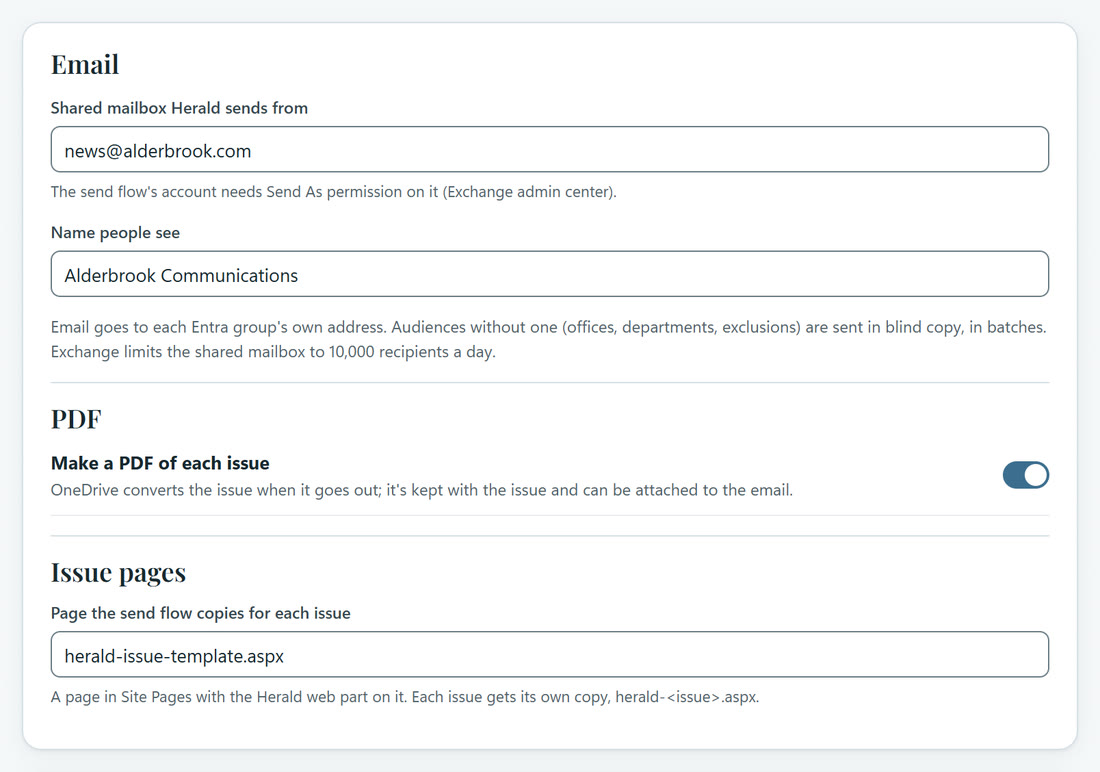
From the Herald demo, with sample data.
Part of the iomer News solution pack
Chronicle writes and approves the stories. Herald gets them to everyone.
Not everyone will come to the intranet for the news, so the iomer News solution pack brings together two of our solution accelerators to take it to them. Each also works on its own.

Chronicle, for internal news
Authors write stories from templates, the right person approves them, and they’re published as SharePoint news, on the intranet and on the sites where people already work, such as a plant’s or the sales team’s.
Visit Chronicle
Herald, for newsletters
Herald gathers those stories, and anything else you’ve published, into one issue. It goes out by email, in Teams, as a page and as a PDF to print, and you see which locations and departments it reached. Herald finds any SharePoint news post, whether Chronicle published it or not.
No two organizations are the same
Off-the-shelf speed. Custom-built fit.
Herald is a solution accelerator, so the work is split in two. The parts every newsletter studio needs are already built, so you don’t pay to build them again. Your brand, templates, series, audiences and approvers are set up by iomer in your own deployment, installed in your tenant, and your team can change them in Herald later.
Already built
The same for every organization
- A studio with fourteen templates, nineteen kinds of block, autosave and a checklist before anything goes out
- A preview of each channel before anything goes, and a send wizard that counts the audience
- Confirmations, results by location and department, approvals and an audit log
Built for you
Different for every organization
- Your newsletter brand, mastheads and templates, so every issue looks like your organization’s
- Your series, audiences, approvers and Teams channels, from your own Entra groups, offices and departments
- How small a group your results can show, and how long reading records are kept, agreed with your privacy and records staff
Download the datasheet (PDF, 2 pages)Compare with off-the-shelf and custom builds See every feature
Go live in five steps
From planning to newsletters that reach everyone
- Plan
Agree your series, audiences, templates, approvers and channels with us, and check department and office data in Entra ID.
- Build
We build your deployment, the package and the flows for your site, and set up your newsletter brand, mastheads, templates and series.
- Install
We install Herald on your communications site, help your admin approve two permissions, run the guided setup, apply the permissions and set up the flows with your service account and shared mailbox.
- Pilot
Send one series to one audience first, then adjust templates and audiences before every series moves over.
- Launch
Train authors and approvers, move your series to Herald, and go live.
As your needs change, iomer builds and installs a new version of your package, so changes reach your tenant the same tested way. New series, templates, topics and Teams channels don’t need one: your owners and administrators add them in Herald.
Part of iomer Solution Accelerators for SharePoint. See all the accelerators
See Herald with newsletters like yours
Book a 30-minute walkthrough set up with series and audiences like yours, or take the evaluation kit away and come back when you’re ready.